Browse items or players
Look for a specific item in the Items tab, or switch to Players to find a seller.
The Marketplace
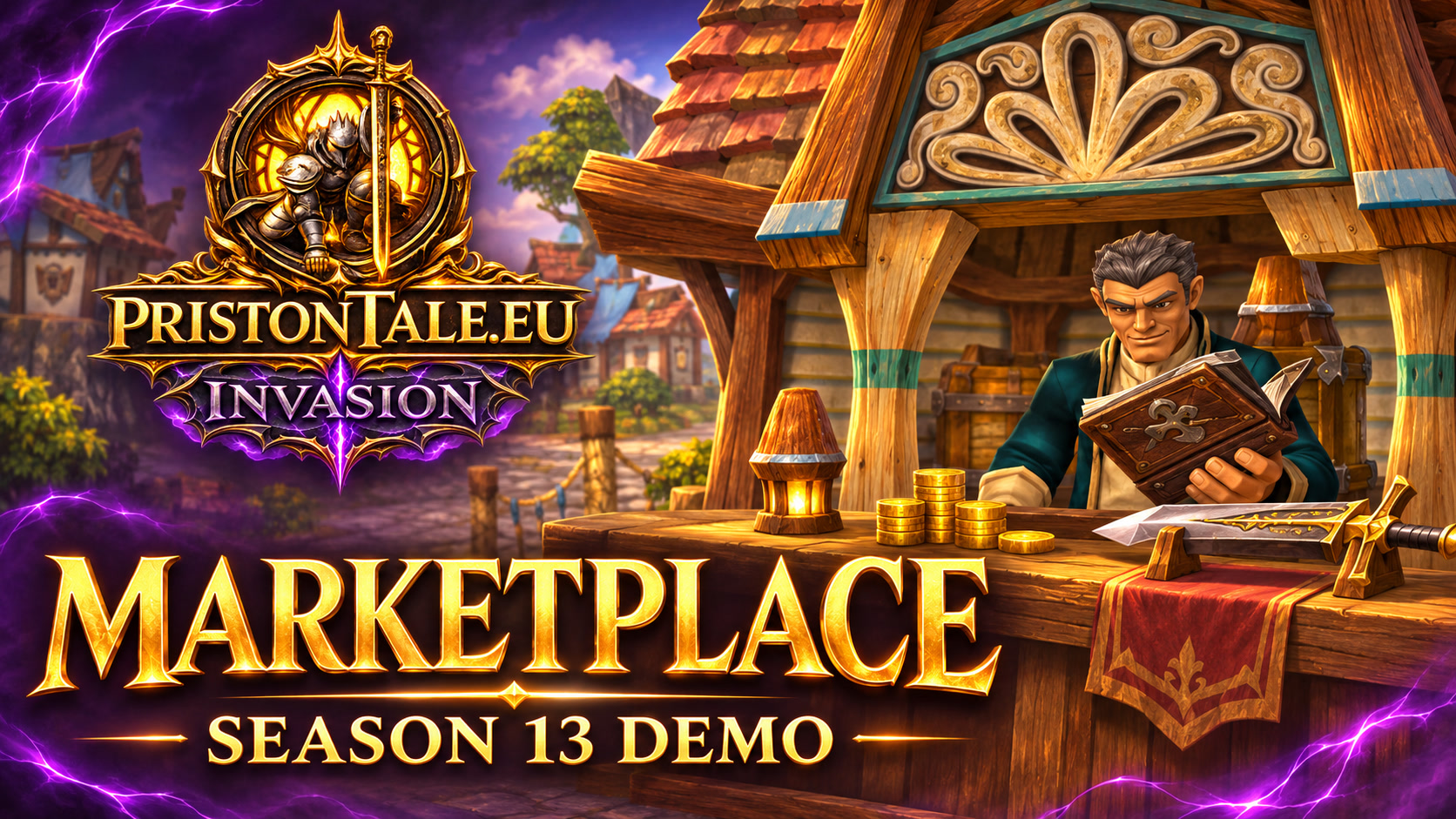
Find your next upgrade. Give your loot a new home. Discover player shops through the new Marketplace.
Player trading, better connected
The Marketplace brings player listings into one place, while keeping trading part of the world of Priston.
Visit the Market Keeper, browse what other players have for sale and find the seller. The Marketplace helps you discover items; you still visit the personal shop to make your purchase.
Gameplay preview
Season 13 development preview. Features and visuals may change before launch.
Find your next upgrade
Search by item name or browse weapons, armour, accessories, materials, premiums and cosmetics. Compare the item, specialisation, level, price, seller and town in the results.
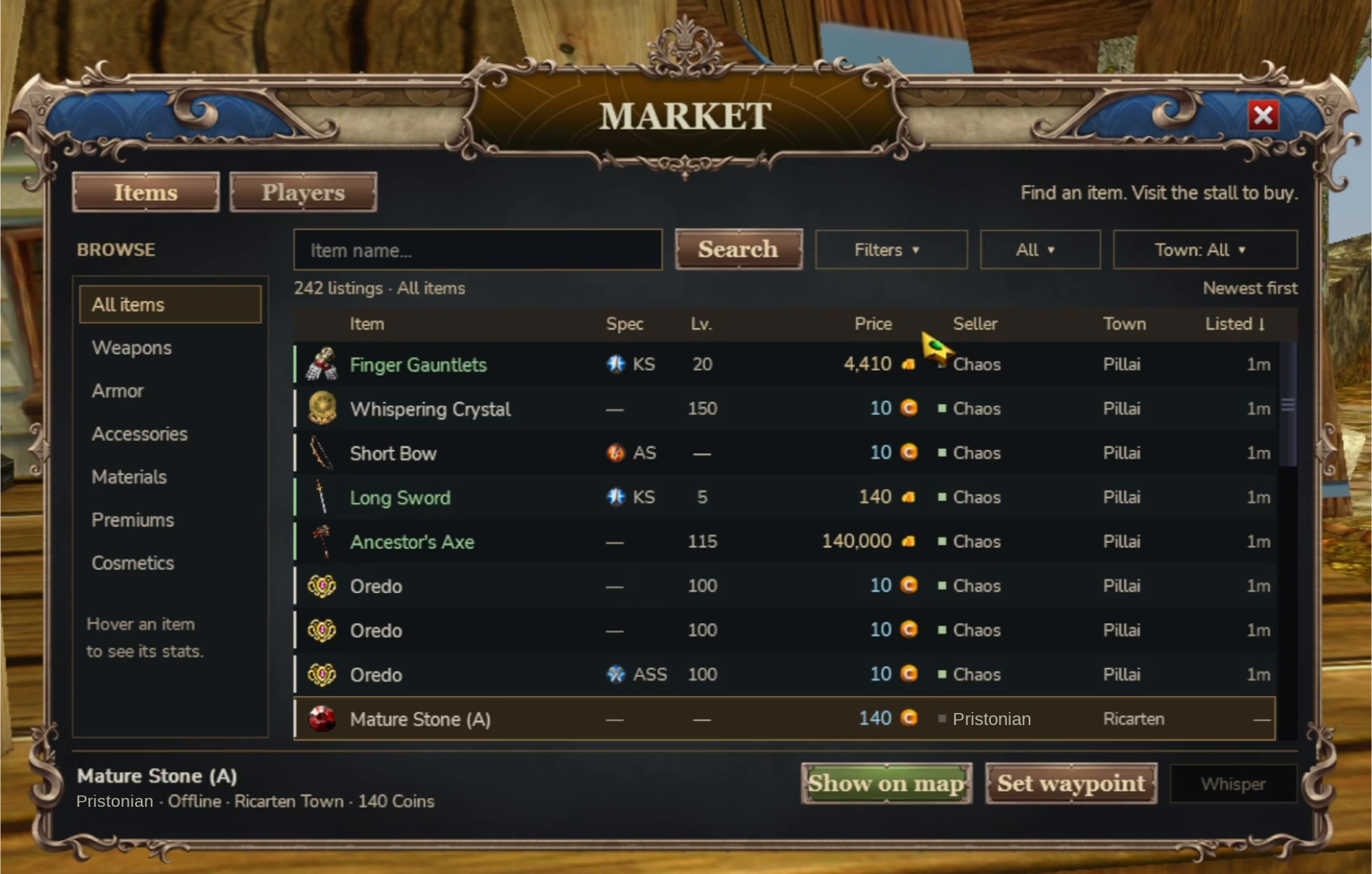
Look for a specific item in the Items tab, or switch to Players to find a seller.
Inspect item details and sort listings to find the equipment and prices that suit you.
Select a listing to show the shop on the map or set a waypoint to the stall.
A search that fits your character
Filter by specialisation, rarity and level range. Choose a town to focus on nearby shops, or select Gold or Coins to filter by price in that currency.
Keep the choices that matter to your character in view, whether you are browsing for an upgrade or checking a specific item.
Inspect the filters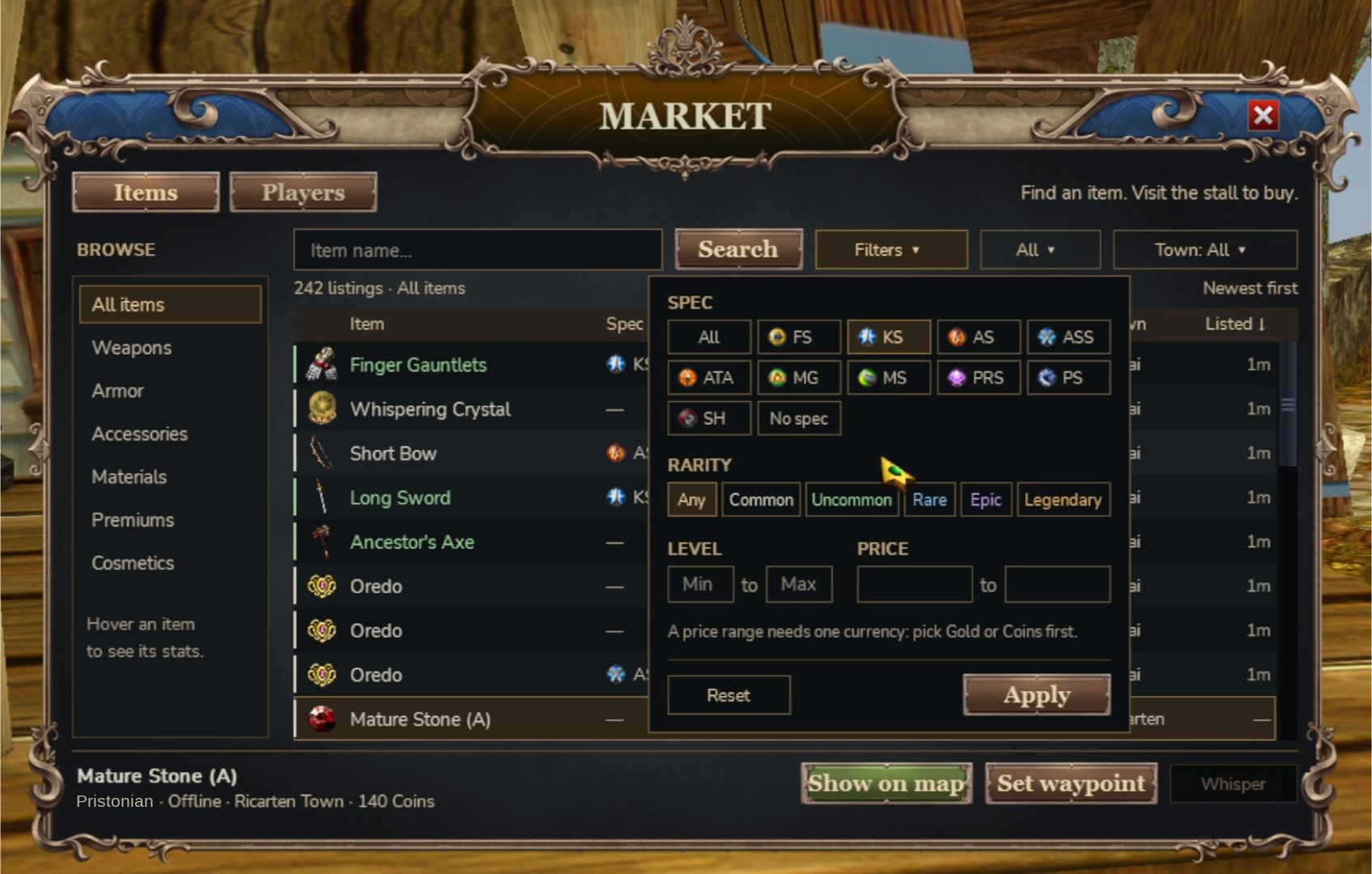
Your loot. Your personal shop.
Give your stall a name, add the items you want to sell and set their prices in Gold or Coins. Choose On the Market to make your shop discoverable through marketplace search.
Review the market fee and the amount you receive before opening your shop. The Sales tab lets you review your shop’s sales.
Take a closer look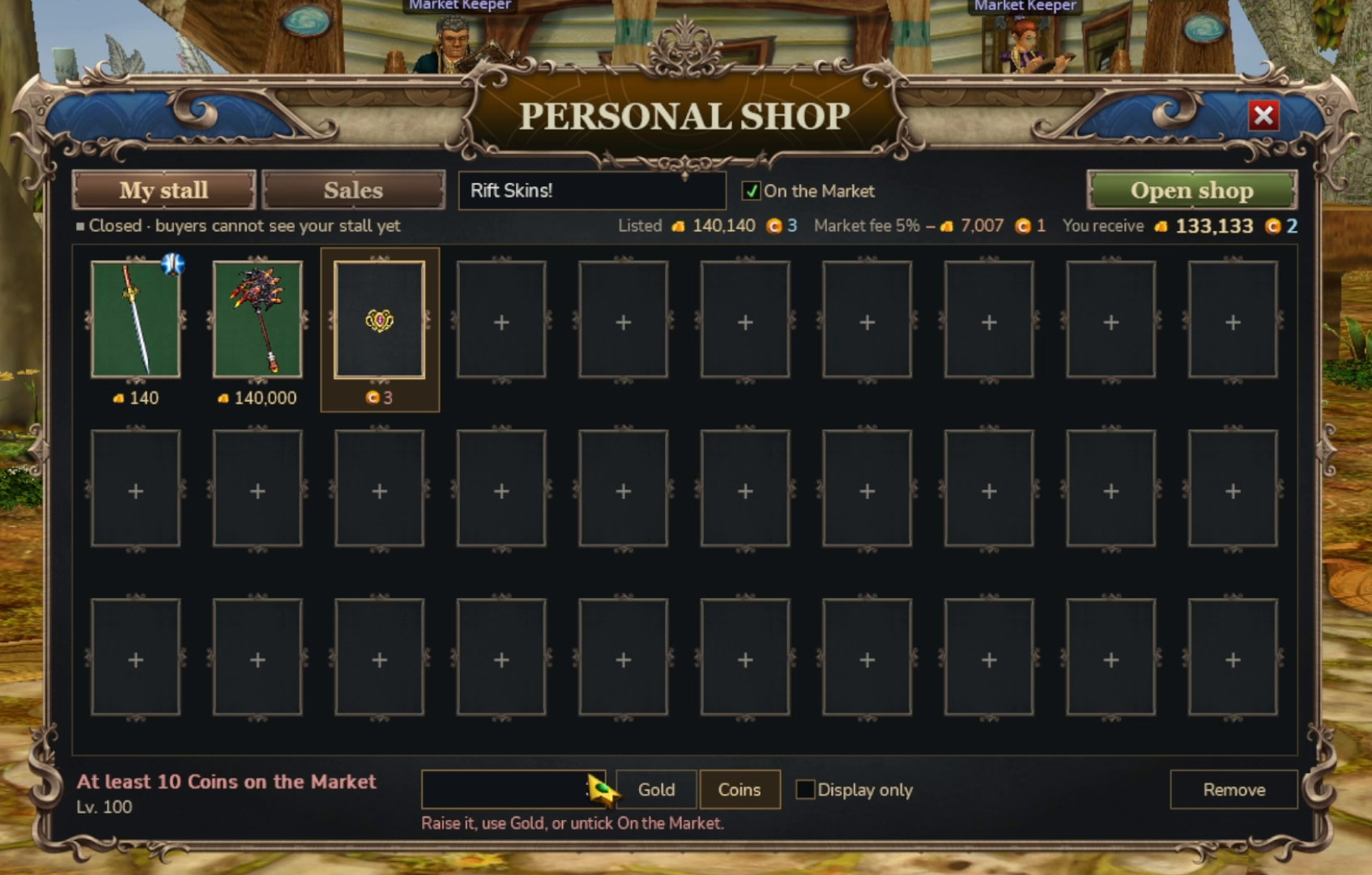
Before you trade
No. The Marketplace helps you discover listings and locate sellers. Visit the seller’s personal shop to complete the purchase.
Select a listing, then choose Show on map or Set waypoint. You can also use the Players tab to search for a seller.
The Personal Shop supports Gold and Coins. Check the selected currency when setting a price or browsing a listing.
The shop setup shows the applicable market fee and what you receive. Review those amounts before opening your shop; the numbers shown in this preview are not final pricing promises.
The Marketplace is coming with Season 13: Invasion, launching November 27, 2026.